Travel Checker Website
In this project, the main objective was to create a website that, takes the information send by the user, in this case are the countries that the user has visited, and storage its information into a data base. Once is stored in the data base the world map will change the color of the countries that the user has typed in. In this project once again a website using and applying concepts of front end back end and data base are used, in order to build a fully responsive website that is not only functional but also user friendly.
Front-End Stage
- The first stage is design the front end, for this part two archives were made, the ejs that cointains all the html structure and some of the functionalities that can be inserted thanks to EJS, and de CSS file to give some format and a attractive design in order to make the user feel confortable using the webiste. In the following images the user interface can be checked both in an initial state, and after the user types some visited countries
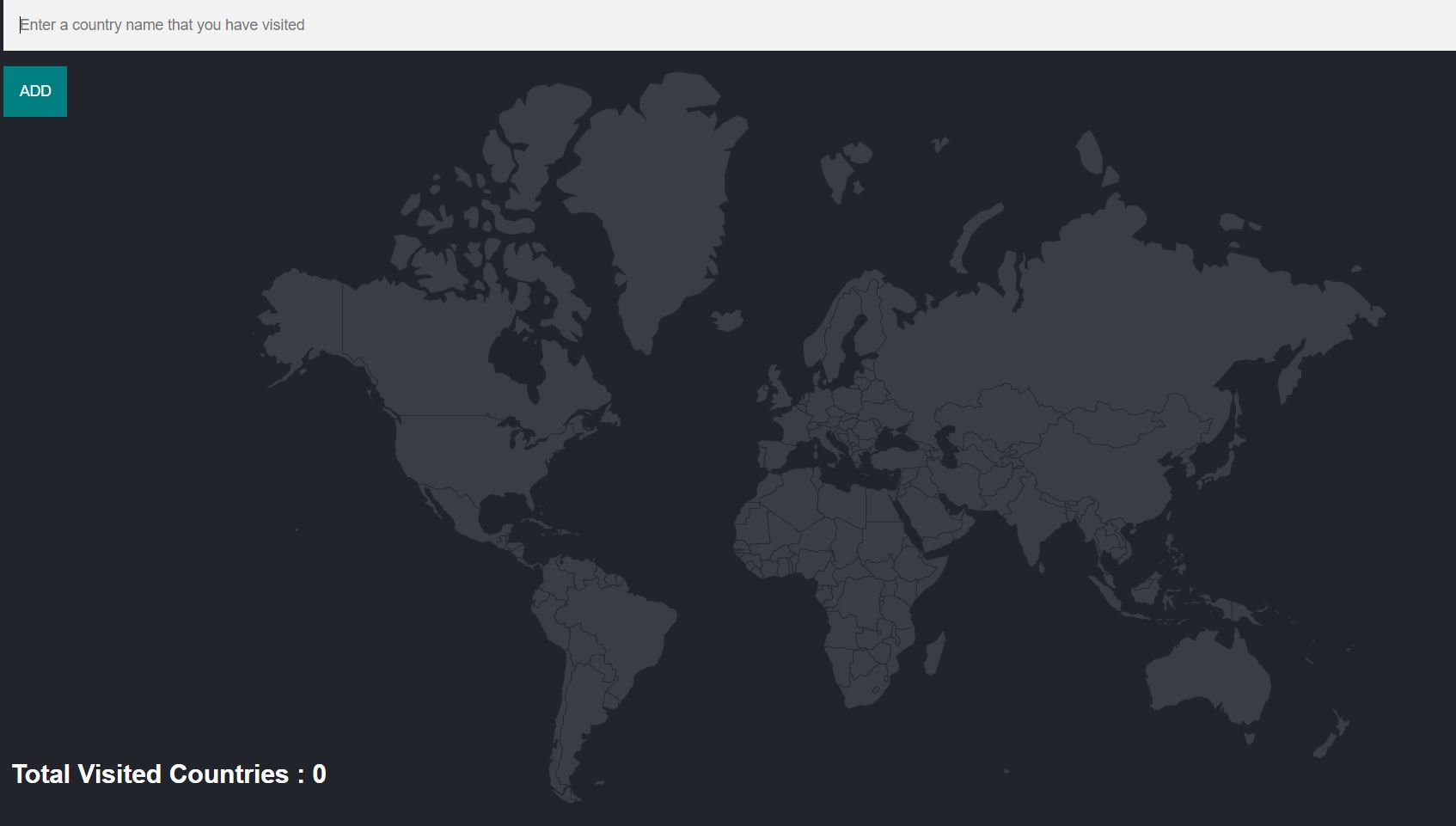
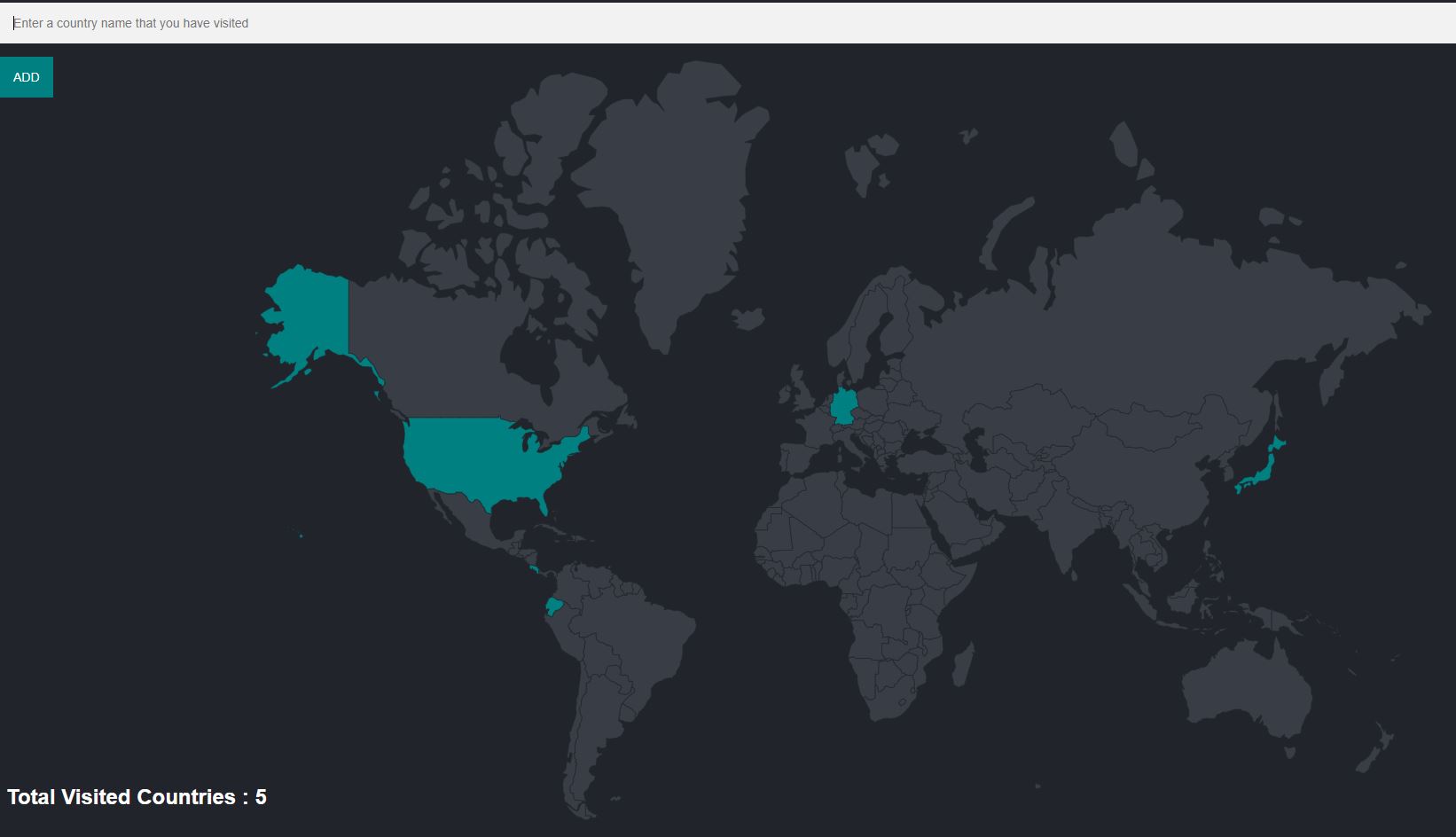
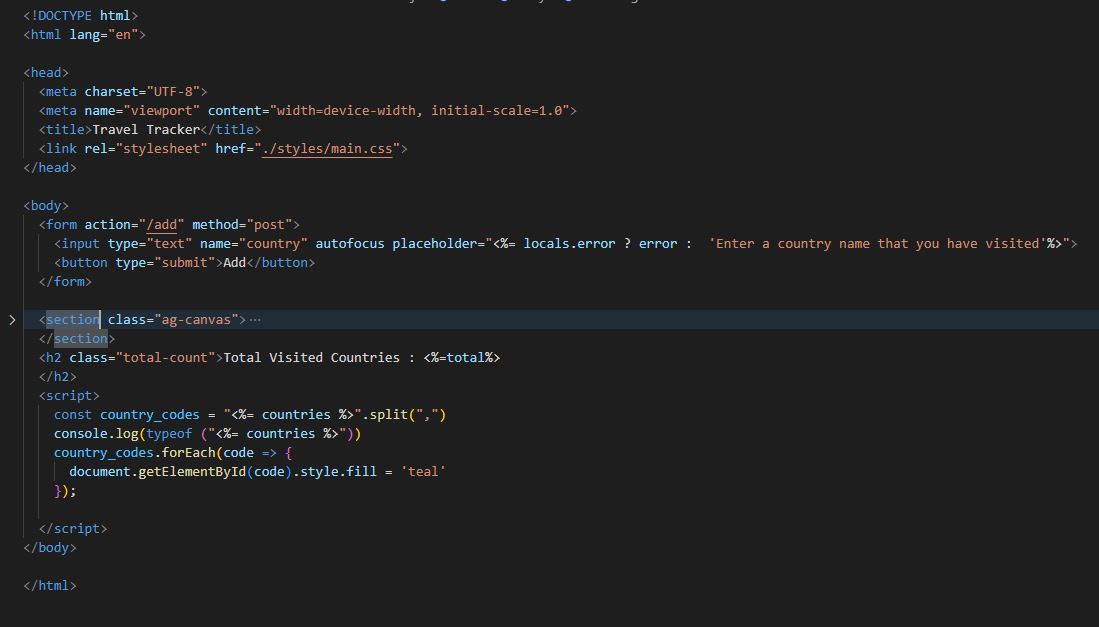
- In the ejs file is important to hightlight that thanks to EJS the data that comes from the back-end side can be display in the user interface, but also some code can be written in order to process more deeply data and get better results. In the following picture some of the code is shown with several examples of the utility of using a EJS file instead of a pure HTML file.
Back-End Stage
-
In this stage JavaScript was used to code the backend and all the functionalities and the bridge to connect the front-end Stage with the back-end and the open weather api. This project has the singularity that uses a real data base and it can be modified using SQL commands. In this case PgAmin was used to manage all the tables and queries done. In the following image, the imports used are shown such as express axios to make the REST API request and the body passer to access and show the information to the user in the front end.
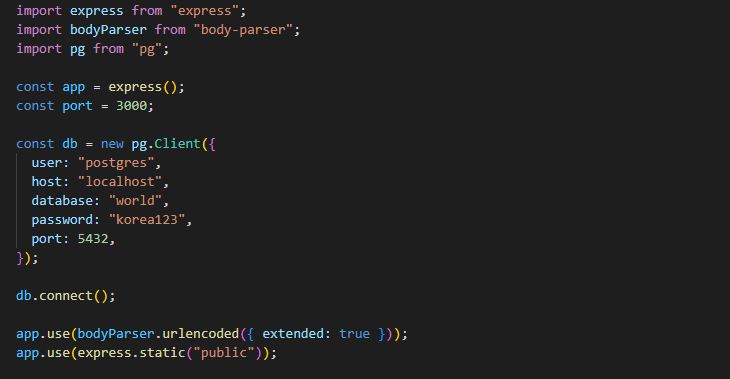
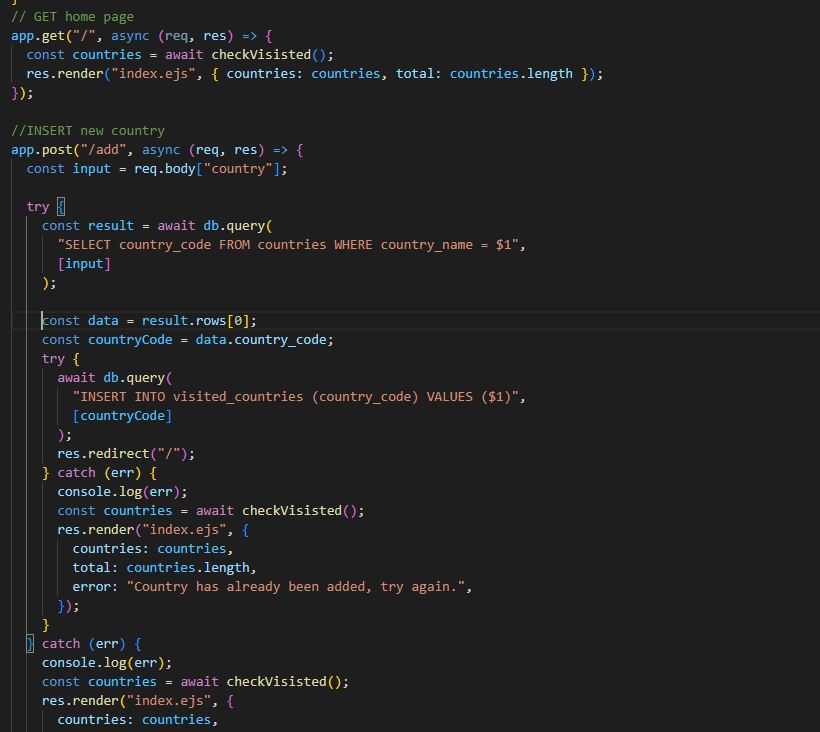
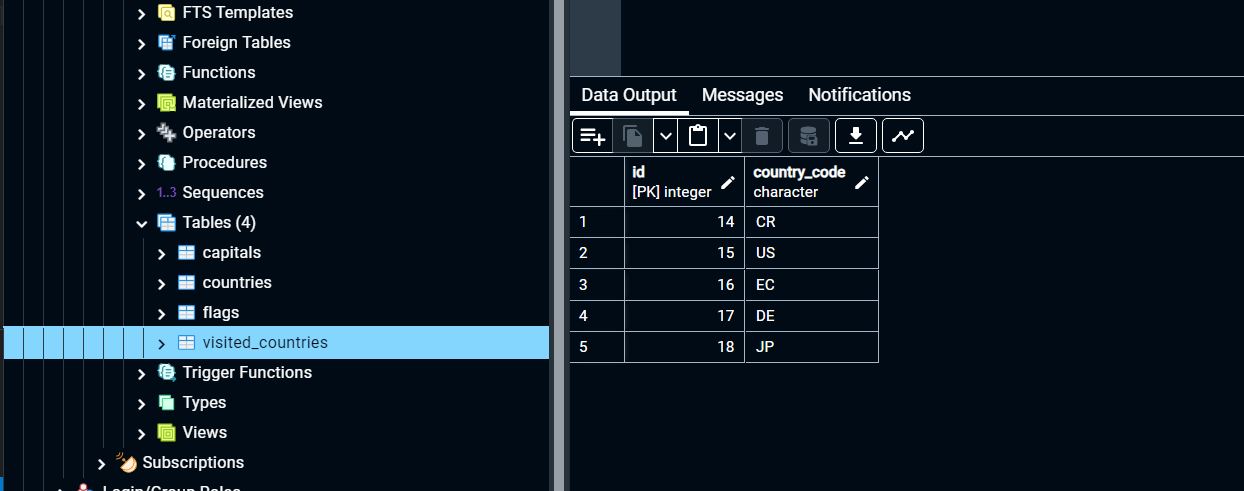
Also the way used to call the date base to the backend is also show in the following figures. The countries that the user types are store in the list called "visited_countries" that can be checked in the data base called world.